
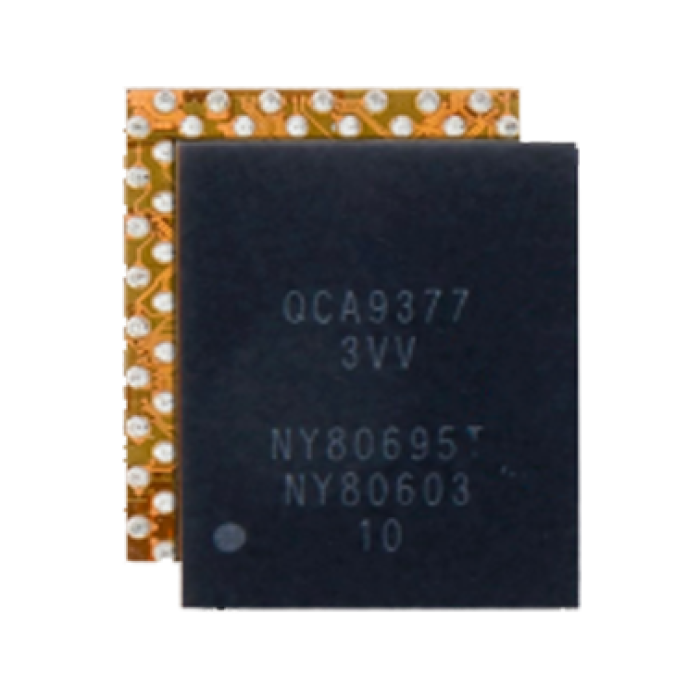
WiFi IC Compatible For Samsung Galaxy A3 (A320) / A5 (A520) / A7 (A720) (QCA9377 3VV)
$1.36
Product Details
-
Dimensions:
- Width: 1.6mm
- Length: 2.2mm These precise measurements make these contact pins ideal for specific Samsung models that use this size for their PCB connections.
-
Compatible with All Samsung Models: While these contact pins can be used in a variety of Samsung devices, it's important to ensure the device's PCB layout is compatible with these specific dimensions. These pins are versatile but require proper fitting for optimal use.
-
100 Pack: This product typically comes in a 100-pack offering a cost-effective solution for repair professionals or DIY enthusiasts who need a large number of replacement contact pins for repairs or component replacement.
-
Durable Material: Made from high-quality, conductive metal (such as copper), these contact pins are designed to provide a reliable connection over time. The pins are typically plated to prevent corrosion and ensure a long-lasting connection.
-
Versatile Use: These pins can be used for various PCB connection tasks within the device, including:
- Battery connections
- Screen and display connections
- Motherboard connections
- Other internal PCB connections
-
Soldering Required: These contact pins are typically soldered onto the PCB, which means a soldering iron will be required to attach them to the appropriate pads on the board.
-
Tools Needed:
- Soldering Iron: To heat and attach the contact pins to the PCB pads.
- Soldering Wire: To create the electrical connection when the pin is soldered onto the board.
- Tweezers: For handling the small, delicate pins and placing them in position.
- Magnifying Glass: To ensure precise alignment and soldering of these tiny components.
- Soldering Flux: To facilitate smooth soldering and ensure a strong bond between the pin and PCB.
- Desoldering Braid: Useful if you need to remove old pins or fix any mistakes.
-
Proper Alignment: Alignment is critical when working with small contact pins like these. They must be positioned correctly on the PCB pads to ensure proper electrical conductivity and avoid damaging the board.
-
Soldering Skills: These small pins can be difficult to solder due to their size. If you're not experienced with soldering, it’s advisable to seek professional help to avoid damage to the PCB or nearby components.
- PCB Repairs: These contact pins are commonly used to repair damaged PCB connections, where the original pins may have been worn out, broken, or corroded.
- Component Replacement: Used for replacing or adding components that require electrical contact within the PCB of the device.
- Repairs in Service Centers: Ideal for repair centers or technicians handling bulk repairs of Samsung devices, as the 100-pack ensures plenty of pins for frequent use.
- Inspect the solder joints to ensure there are no cold joints, misalignments, or shorts.
- Test the device to confirm that the electrical connections work properly, and the device powers up and functions as expected.
- Carefully reassemble the device, ensuring that all components are reconnected.
- Make sure that the device's housing and screen are securely placed back in position.
The PCB Board Contact Pins (072) compatible with all Samsung models are small electrical components used to create or repair connections on the Printed Circuit Board (PCB) of Samsung devices. These contact pins are essential for ensuring that the various internal components of the device communicate with each other correctly.
Key Features:
Installation Considerations:
Applications:
Testing:
After soldering the contact pins:
Reassembly:
Once the pins are correctly installed and the PCB is functioning properly: