
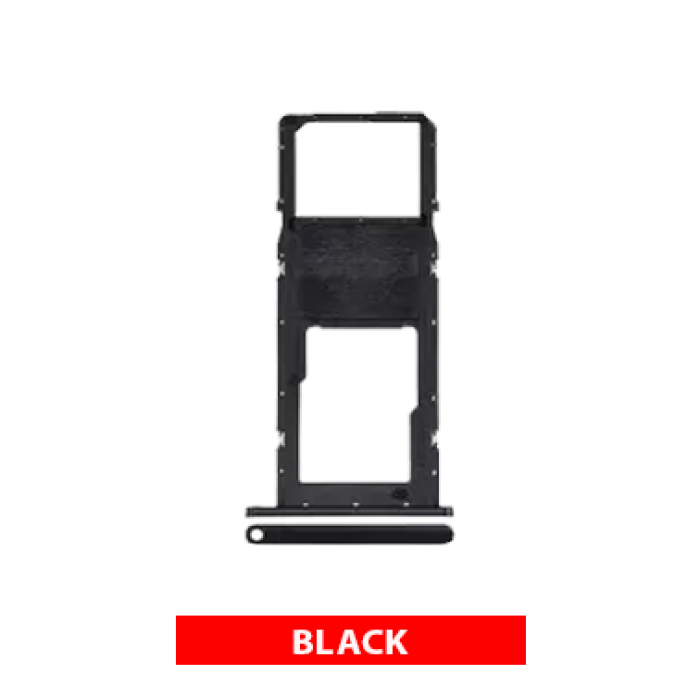
Single Sim Card Tray Compatible For Samsung Galaxy A02S (A025 / 2020) / A03 (A035 / 2021) (Black)
$1.22
Product Details
-
Compatible Models:
- Samsung Galaxy A02S (A025 / 2020)
- Samsung Galaxy A03 (A035 / 2021)
-
Single SIM Support:
- This tray is designed to hold one nano SIM card, which is ideal for users who only need one SIM card in their device, either because their phone is a single SIM version or they prefer using a single line.
-
Material and Color:
- Made from durable plastic, the tray is available in black, which will match devices that have a black finish or those who prefer a neutral color.
-
Functionality:
- This part allows you to insert a nano SIM card into the tray. The tray slides into the SIM slot on your device, establishing a connection between the phone and the SIM card for network access.
- Damaged or Broken Tray: If the tray is cracked, bent, or damaged, it may not securely hold the SIM card or may prevent it from being detected by the device.
- Lost Tray: If the original SIM tray has been misplaced or lost, this replacement will restore the ability to use a SIM card.
- Water or Corrosion Damage: If the tray shows signs of rust or corrosion due to water exposure, it may be necessary to replace it to maintain proper functionality.
- Tools Needed:
- SIM Card Ejector Tool: This is required to safely eject the existing SIM tray from the device.
- Tweezers (optional): Useful for placing the SIM card into the tray.
- Power Off the Device: To avoid any electrical issues, it's best to turn off your phone before replacing the tray.
- Eject the Existing Tray: Use the SIM card ejector tool to insert into the small hole next to the SIM tray, which will pop it out of the phone.
- Remove the SIM Card: If there's a SIM card in the tray, carefully remove it.
- Insert the New Tray: Place the black single SIM tray into the SIM slot, ensuring it is properly aligned.
- Insert the SIM Card: Place your nano SIM card into the tray, ensuring that the gold contacts face down and the card is placed correctly.
- Reinsert the Tray: Gently slide the tray back into the phone until it clicks into place.
- Power On: Turn your phone back on and check that the SIM card is being recognized.
- SIM Recognition: After inserting the tray, check if the SIM card is recognized by your phone. You should see a network signal if the SIM is properly inserted.
- Test Calls and Data: Make calls or use mobile data to ensure the SIM card is functioning as expected.
The Single SIM Card Tray compatible with Samsung Galaxy A02S (A025 / 2020) and A03 (A035 / 2021) in Black is a replacement part for users who only need to use one SIM card in their device, either because they prefer single SIM functionality or have a model that supports just one SIM.
Key Features:
When to Replace the Single SIM Card Tray:
Installation Considerations:
Installation Process:
Testing:
Professional Help:
If you experience issues with the SIM card not being recognized or the tray not fitting properly, you may want to seek help from a professional technician.
Summary:
The Single SIM Card Tray compatible with Samsung Galaxy A02S (A025 / 2020) and A03 (A035 / 2021) in black is the ideal replacement for users who only need one SIM card. This tray is durable and comes in a neutral black color, matching your device’s aesthetic. Replacing a damaged or lost SIM tray is simple and will restore the functionality of your phone.